
Landlording,
with receipts.
Propsynk fills in your province's official lease and gets it signed on your phone. Then every rent payment, repair and notice lands on one dated record.
Your first rental is free for good. No card needed.
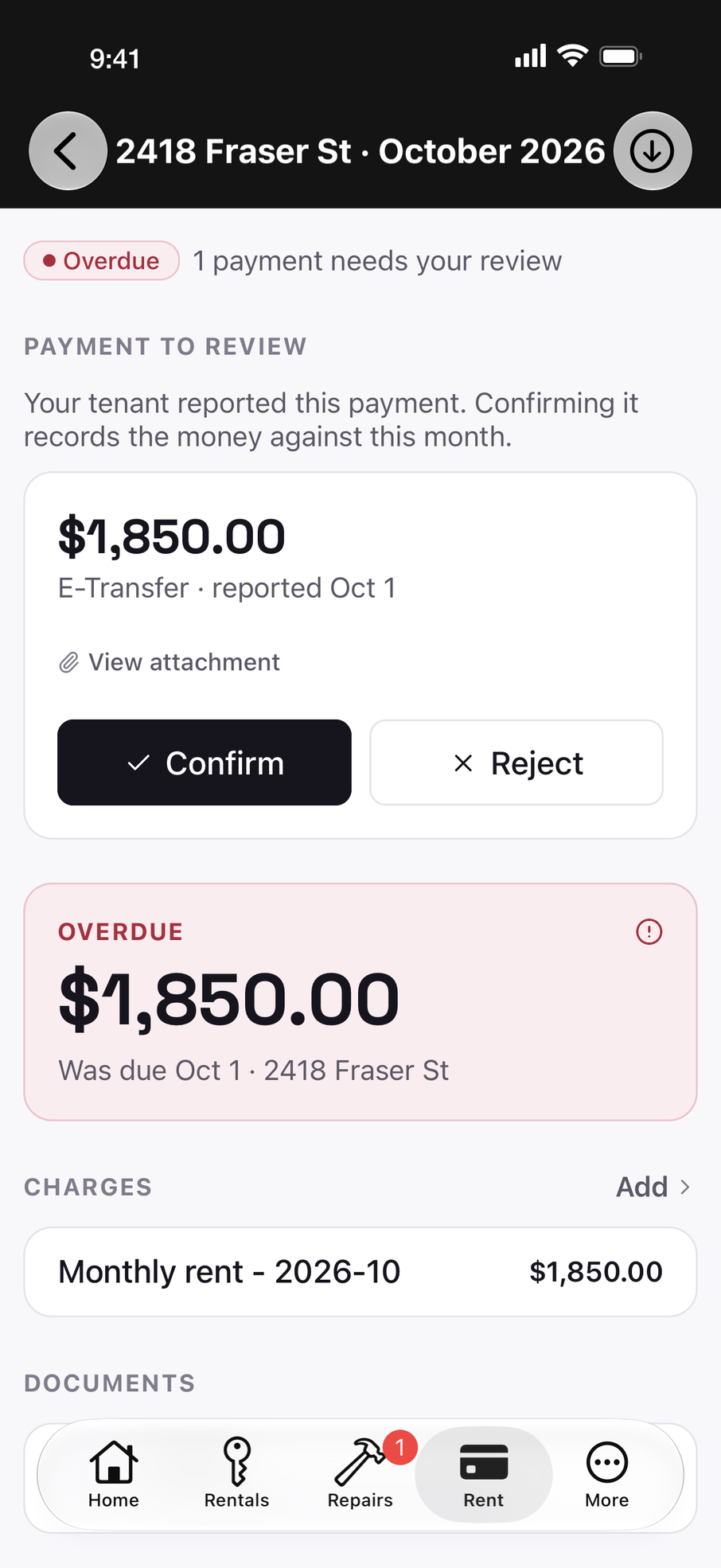
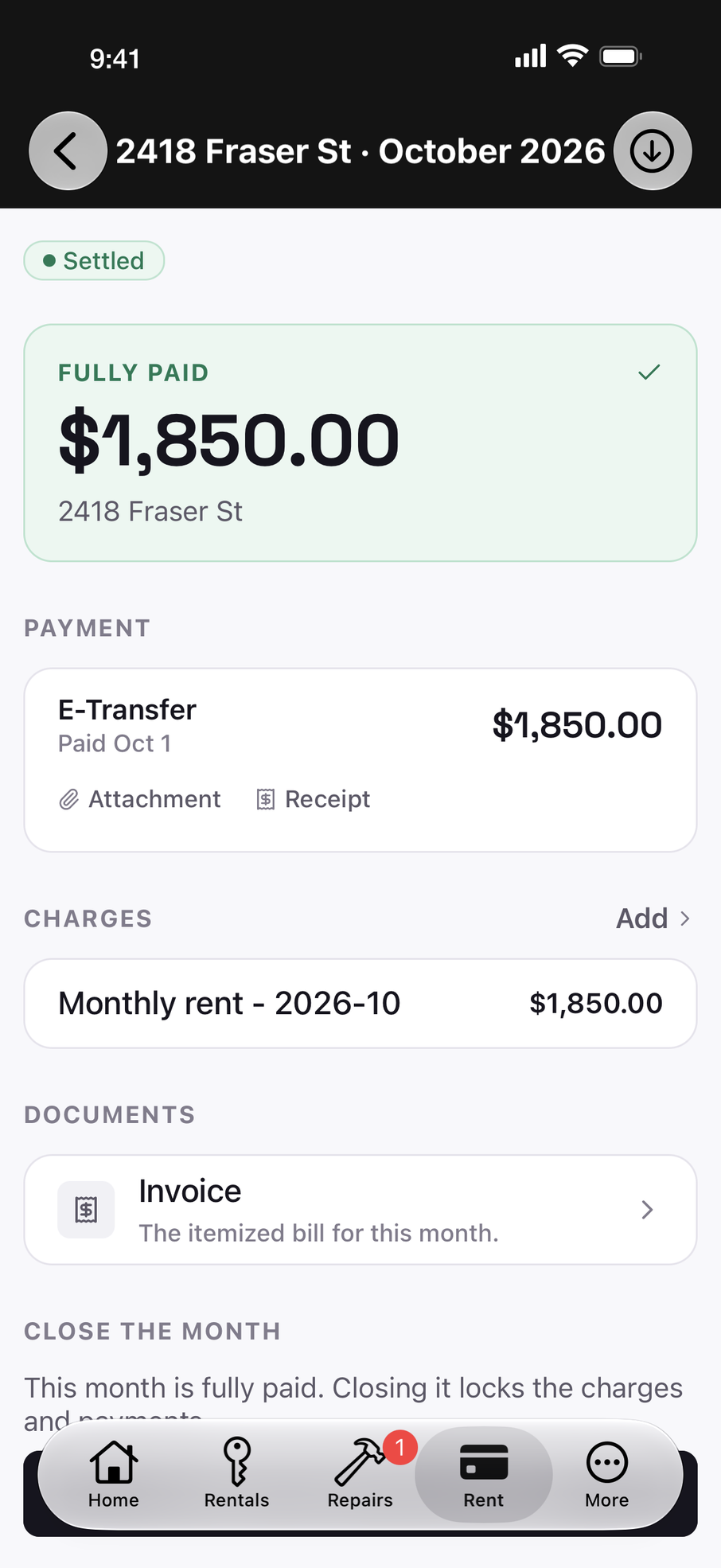
- their screenshot and your receipt, filed together
- one tap on Confirm, and the month is settled
The right form for your province, already filled in.
Each province writes its own tenancy agreement. Propsynk uses the official one and fills it from the details you've already entered. You and your tenants sign on your phones.
BC Residential Tenancy Agreement (RTB-1)
The Residential Tenancy Branch's own form, filled from your rental details.
- Filled for you. The address, rent, due date, deposit and every party go straight into the RTB-1's fields.
- Three or more tenants. The RTB-1 has room for two. Propsynk adds the RTB-26 Schedule of Parties for you.
- Your own terms. Add addendum pages for pets, parking or anything else, attached to the agreement.
- Signed on a phone. You and your tenants e-sign through DocuSign. The signed PDF files itself with the rental.
- Rent-increase and termination notices (10 Day and One Month) are in development.
Ontario Standard Lease (Form 2229E)
The province's standard form, required for most residential tenancies in Ontario.
- Filled for you. Rent, deposit, parking and the parties go into the form's own fields.
- Numbered like the original. Your answers land in the sections exactly as Form 2229E numbers them.
- Signed on a phone. You and your tenants e-sign through DocuSign. The signed PDF files itself with the rental.
- Ontario N-series notices are in development.
Alberta residential tenancy agreement
Filled from your rental details, for month-to-month or fixed-term tenancies.
- Month-to-month or fixed term. Pick the term and Propsynk asks only for the dates that term needs.
- Your tenant fills their part. Phone, emergency contact and mailing address come from the tenant when they accept your invite.
- Every tenant named. Everyone on the rental is listed on the agreement.
- Signed on a phone. You and your tenants e-sign through DocuSign. The signed PDF files itself with the rental.
Propsynk fills the forms and keeps the record. It isn't legal advice. Confirm deadlines and how to serve a notice with your province.
Rent
Know who paid without scrolling your texts.
Your tenant reports their e-Transfer in the app and attaches the confirmation. You check your bank, tap Confirm, and a receipt is filed with the rental.
Partial payments and one-off charges go on the same ledger. Deposits keep a history of their own, which is the one you'll want at move-out.
Your tenant reports the e-Transfer
With their bank's confirmation attached.
You check your bank and tap Confirm
Or reject it, if it never arrived.
A receipt is filed with the rental
Dated, and there when you need it.
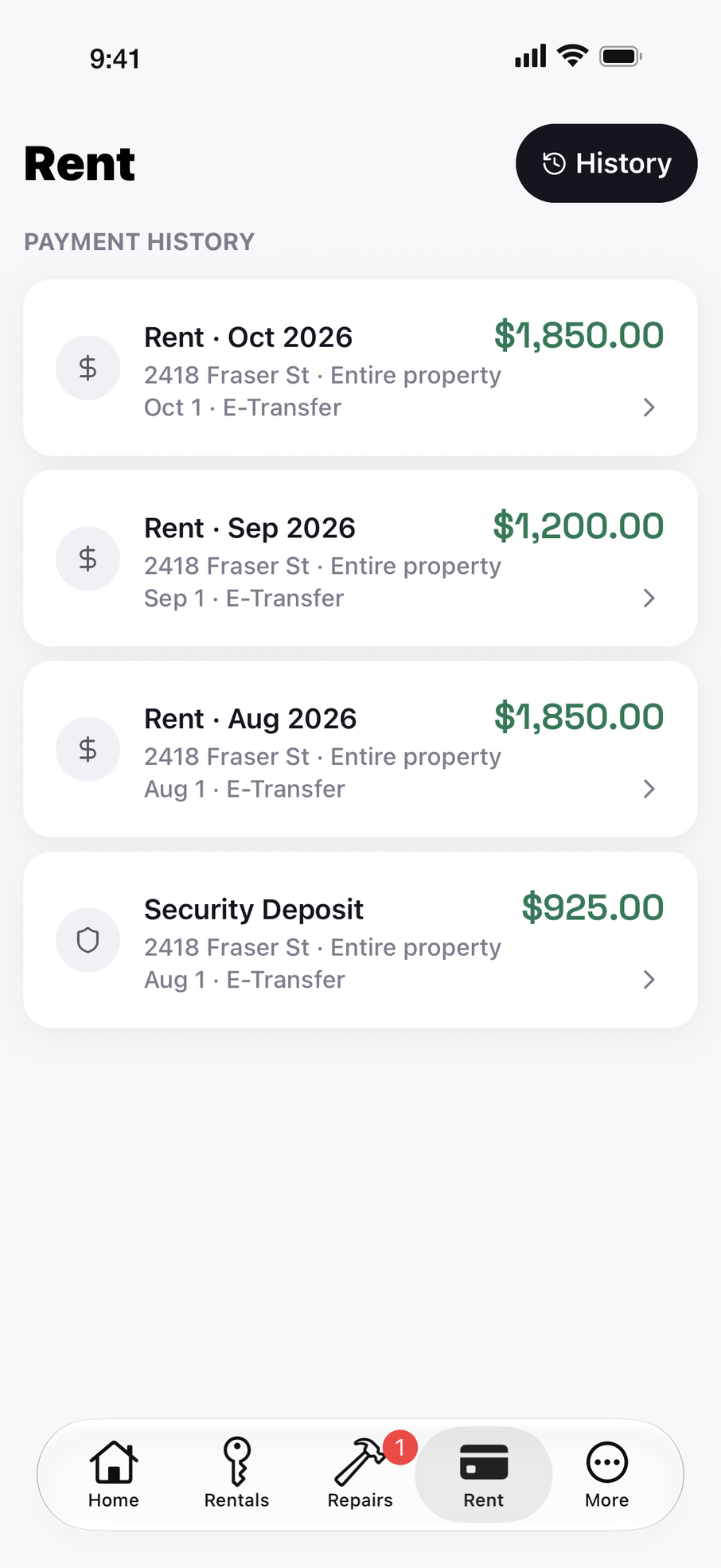
- every payment dated, with how it came in
- the deposit keeps its own history
Your tenant reports the leak
Photos first, so you see it before you drive over.
You reply on the request
Fix it yourself, or book a verified contractor with Pro.
Your tenant e-signs the notice of entry
Sent when you book the contractor, so the visit is on record.
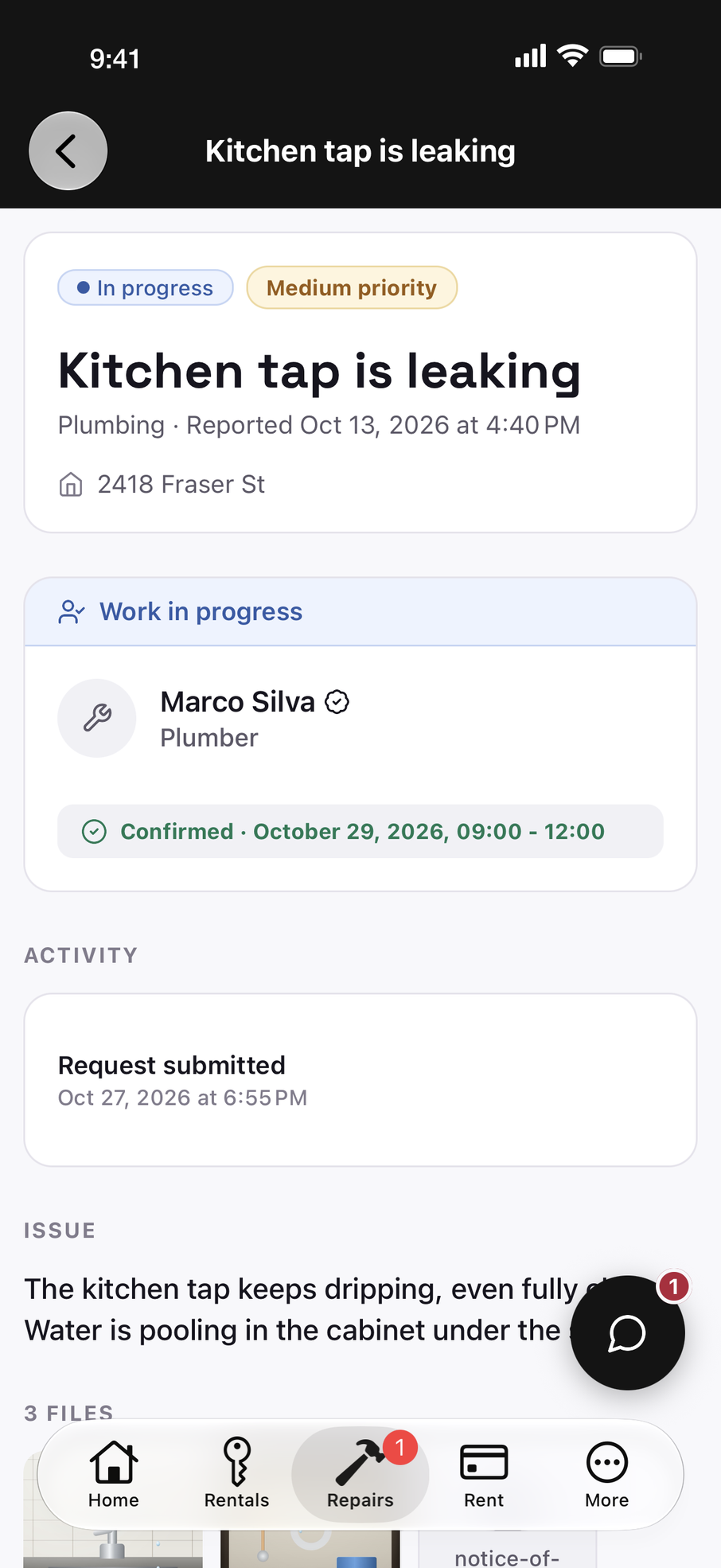
- a verified plumber, booked for a set window
- the tenant's own words, kept with the repair
Repairs
A leak, from the first photo to fixed.
Your tenant reports it with photos. You set the priority and reply on the request itself, so the conversation stays with the repair instead of your texts.
Fix it yourself, or book a verified contractor with Pro. Booking one sends your tenant a written notice of entry to e-sign, so you have dated proof it was served.
Most landlord pain isn’t day-to-day admin. It’s the moment a tenancy goes wrong and there’s no record.
The record matters most on the worst day of a tenancy.
Disputes rarely start with paperwork. They start with a sentence like one of these.
“I paid March. You must have missed it.”
On the record
The e‑Transfer they reported, their screenshot, and the day you confirmed it.
“I told you about that leak in August.”
On the record
The request, its photos and every reply, each with its date.
“Nobody told me someone was coming in.”
On the record
The notice of entry they e‑signed when you booked the plumber.Pro
“That deposit was paid in full.”
On the record
What was paid, when and how, on the deposit’s own history.
Propsynk can’t win an argument for you. It makes sure you aren’t arguing from memory.
Questions people actually ask
Something else? Email [email protected].
Is my first rental really free?
Yes. One active rental is free forever: rent tracking, deposits, repairs, tenant messaging, and your province's lease, created and e-signed. No credit card and no trial clock. Pro is $29.99 CAD a month when you add a second rental.
Is my data secure?
Your data is encrypted in transit, and access is limited by role: tenants see their own tenancy, and you see your rentals. Screening runs through SingleKey and signatures through DocuSign. Our Privacy Policy explains what we store, where, and for how long.
What can my tenant see?
Only their own tenancy: their rent and charges, what's paid and what's due, the agreement they signed, and their repair requests and messages. They never see your other rentals, and they never pay for Propsynk.
Which provinces are supported?
Propsynk creates official tenancy agreements for British Columbia (the RTB-1, plus the RTB-26 when there are three or more tenants), Ontario (Form 2229E) and Alberta. Anywhere else in Canada, you can track rent and repairs and upload the agreement you already signed.
Does Propsynk give legal advice?
No. It fills the official forms and keeps a dated record of what happened. Confirm deadlines and how to serve notices with your province's tenancy office. Rent-increase and termination notices are in development.
I already have a tenant. How long does setup take?
A couple of minutes. You need the address, your tenant's name, the monthly rent and the next due date. Everything else can wait.
Is there an Android app?
Android is in closed testing. Give us the Google account email you use on your Android phone and we'll send you an invite to the test build.
Start with the rental you already have.
Free for one rental, for as long as you keep it.