

Leases & signing
A lease that will actually hold up.
Create the agreement, have both sides e-sign from their phone, and keep the signed copy filed with the tenancy instead of in an inbox.
Your first rental free · No credit card · See pricing
The lease most self-managing landlords are actually using
A template found through a search engine, filled in once, printed, signed in person, photographed, and never looked at again until something goes wrong. Several landlords we interviewed did not know whether the document they were relying on reflected the tenancy law of their province at all.
The agreement is the foundation of every other protection you have. If it is informal, everything built on top of it is too.
Signing that finishes in one sitting
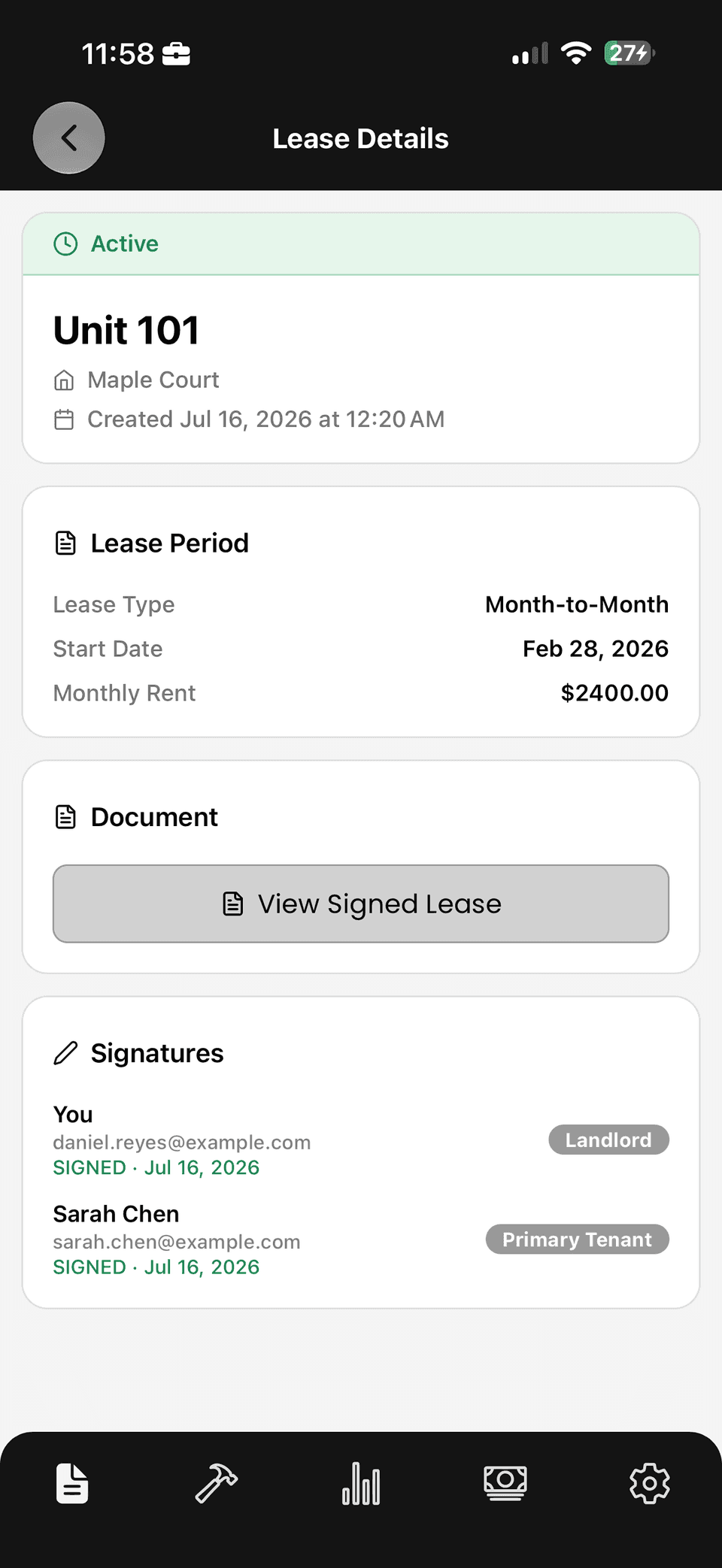
Both landlord and tenant sign from their phone, so the agreement does not stall waiting for someone to find a printer. Once signed, the copy is stored against the tenancy with the signing record attached.
That means the lease, the screening that preceded it, the deposit, the rent ledger and every maintenance request afterwards all live in the same file rather than scattered across email, cloud storage and a filing cabinet.
What landlords told us they wished the agreement had covered
The gaps that caused arguments later were rarely exotic. They were the ordinary terms nobody thought to write down: who is responsible for which utilities and how shared costs are split, whether and how the unit may be sublet, what the rules are on pets and smoking, how maintenance should be reported, and how much notice each side gives for entry.
None of these are difficult to agree at the start, when both parties are motivated to be reasonable. All of them are painful to resolve eighteen months later with money at stake.
Propsynk provides software, not legal advice — check your province's tenancy legislation, or ask a lawyer, for what a tenancy agreement must and may contain where you operate.
The forms and notices the app produces for you
Propsynk supports government tenancy agreements for British Columbia, Ontario and Alberta. In British Columbia it fills the RTB-1, and when a tenancy has more than the two tenants the form allows, it generates and appends the RTB-26 schedule of parties. Addenda are appended in the same document, and both parties e-sign it. In other provinces, add the tenancy and upload your own signed agreement.
During maintenance coordination, Propsynk can prepare a written entry notice stating the reason, date and time and send it to the tenant for signature. The resulting dated confirmation is filed with the tenancy. You remain responsible for confirming and following your province's required notice, timing and service method.
Termination and rent-increase notices are not currently generated by Propsynk. Prepare and serve those through the process required in your province; you can keep the resulting document with the tenancy record. Additional provincial form workflows are planned, but availability and timing are not guaranteed.
Records that survive the tenancy
Documentation only matters at the moment you need it, which is usually a dispute. Keeping the signed lease with dated records of everything that followed is the difference between describing what happened and demonstrating it.
A tenancy file that holds the agreement, the screening that preceded it, the deposit, the condition evidence, the rent ledger and every maintenance thread is not just tidier. It is the entire case, already assembled, before you knew you needed one.
What you get
In the app, on day one.
The official form
BC's RTB-1 filled from your data, with RTB-26 added past two tenants.
Sign from a phone
Landlord and tenant both e-sign; no printer required.
Signed copy on file
The executed agreement is stored against the tenancy.
Linked to the tenancy
Lease, deposit, rent and repairs share one record.
Clear product boundary
Termination and rent-increase notices are not currently generated.
Entry coordination & records
Coordinate a signed maintenance-entry notice; file inspections and receipts by tenancy (Pro).
Questions
Digital leases, answered.
Are Propsynk leases valid in my province?
Propsynk generates the government tenancy agreement for British Columbia (the RTB-1, plus the RTB-26 schedule of parties when a tenancy has more than two tenants), Ontario and Alberta, filled from your tenancy data and e-signed by both parties. Rent tracking, notices of entry and records work across Canada; in provinces without a generated form you add the tenancy and upload your own signed agreement. Propsynk provides software, not legal advice.
Can a tenant sign without creating an account?
Tenants are invited to the tenancy and sign from their own device. They do not need a paid plan.
Is digital lease signing on the free plan?
Yes. Creating a lease and having both sides e-sign is included with your first rental, which is free forever. Preparing draft leases is never limited; the paid boundary is activating a second rental.
What happens to the lease if I stop using Propsynk?
The signed agreement is your record. You can retain a copy of your documents, and our Privacy Policy sets out how to request export or deletion of your data.
More on tenant screening and rent tracking, or read the guides for Canadian landlords.
Get started
Set your rental up once, and keep the record.
Your first active rental is free, forever.